Dual‑mode gaming monitors: a useful idea that needs better execution
The article examines the trend of dual‑mode gaming monitors that offer 4K for image quality and 1080p for higher refresh rates. The author tested the Koorui G2741L, praising the value and concept but noting issues with slow mode switching and extra blur in 1080p. Different manufacturers, including Acer, Asus and Alienware, are compared, and the piece highlights integer scaling as a way to improve 1080p quality on 4K panels. This matters because monitor value has improved recently and cheaper OLEDs are making dual‑mode options more attractive.
What happened
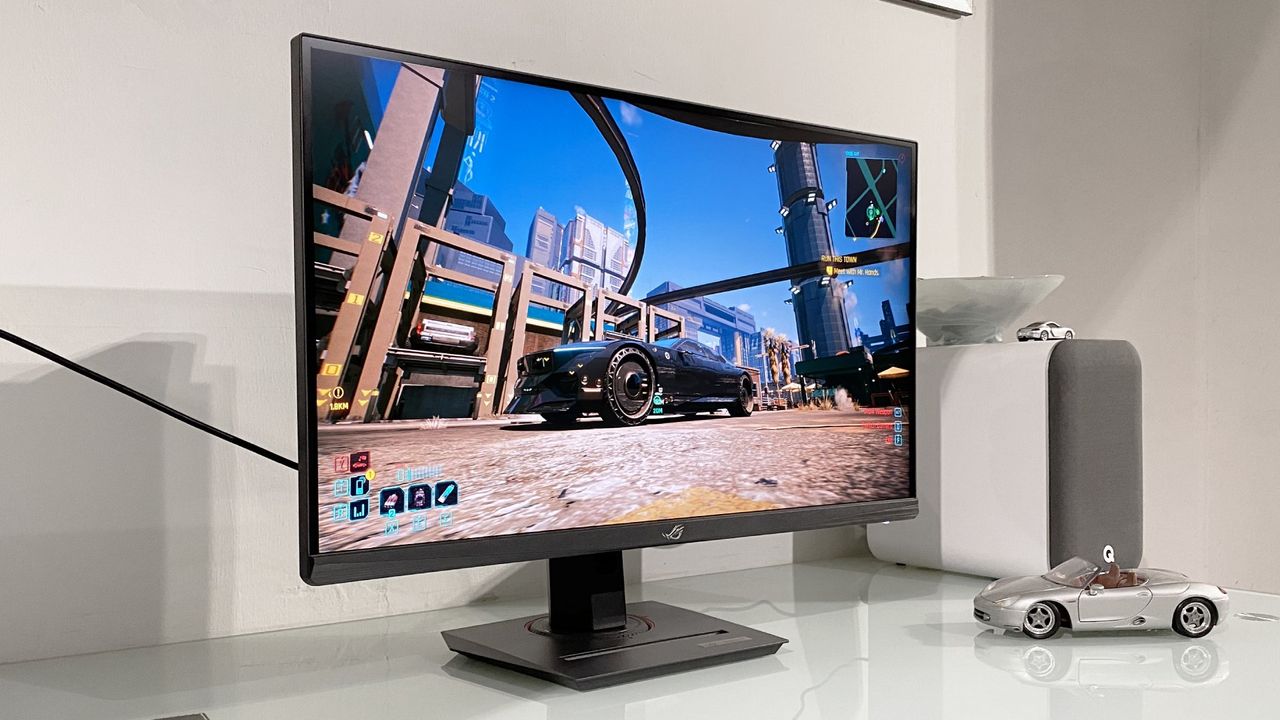
Gaming monitors have recently stood out as one of the few PC hardware niches where price‑to‑performance has improved. The author has been testing the Koorui G2741L, a dual‑mode panel that supports both 4K and 1080p, and finds the core concept — 4K for visual fidelity, 1080p for higher refresh rates — compelling in practice.
The piece notes concrete price points that illustrate the attractiveness of the category: some QD‑OLED panels are now available for around $300, and dual‑mode options such as an Acer Nitro 4K/1080p can be found for as little as $160. These numbers contribute to why monitors are among the hardware components the author checks with genuine interest.
However, the Koorui G2741L showed shortcomings in execution. Switching between 4K and 1080p is handled through physical buttons that navigate the monitor’s built‑in menu, and the transition takes a noticeable amount of time, reducing the convenience of changing modes during play.
Why this is happening
The attraction of dual‑mode displays is straightforward: 4K delivers better desktop and single‑player visuals, while 1080p enables higher refresh rates that competitive players prefer. But the hardware and software implementations that deliver those two modes vary and often fall short.
Traditionally, 4K dual‑mode monitors reduce resolution to one quarter of pixels to raise refresh rates, which forces the panels to apply interpolation algorithms. That interpolation can make 1080p on a 4K panel appear softer or blurrier than on a native 1080p monitor. In the Asus ROG Strix XG27UCG review, Jeremy noted that the monitor’s 1080p mode looks “a little soft and blurry” on the desktop but “in‑game it actually works pretty well.”
There are technical ways to improve the lower‑resolution mode. For example, the Alienware AW2725QF adopts integer scaling by doubling pixels in both directions, which gets closer to a native 1080p appearance on a 4K panel. Despite that, integer scaling is not yet widespread across the dual‑mode market.
How this will affect
For many players, dual‑mode monitors represent a practical compromise: the ability to use 4K for high‑quality visuals and switch to 1080p for faster, more responsive competitive play is valuable. Even with the interpolation drawbacks, the author prefers having 4K for desktop and single‑player gaming and 1080p for competitive games rather than sticking with 4K for everything.
On the downside, slow mode switching and visible artifacts at 1080p could deter users who expect instant transitions and clean image quality. The Koorui’s implementation — a series of physical buttons and a slow swap — illustrates how interface design can make the feature less useful in practice.
From a market perspective, manufacturers that combine rapid, accessible mode switching, robust integer scaling and minimal artifacting at 1080p could gain an edge, particularly given current attractive price points in the monitor space.
What next
The article points to room for improvement: better interpolation algorithms, wider use of integer scaling, and faster, more convenient switching mechanisms could make dual‑mode monitors far more compelling. Progress in panel technology—such as reduced OLED burn‑in and LG’s RGB Stripe panel reducing font fringing—also supports the idea that display tech can and does improve materially over time.
What is certain from the source: dual‑mode monitors exist at appealing prices, manufacturers use differing scaling and switching approaches, and common complaints include slow switching and blur at 1080p. What the source does not provide are detailed latency measurements for switching across models or controlled comparisons of 1080p image quality under different scaling algorithms.
As an aspirational outcome, the author describes a desirable product: an affordable dual‑mode OLED monitor that implements integer scaling and provides quick, easy switching. If makers deliver on those points, dual‑mode displays could become a mainstream, well‑executed option rather than a niche compromise.
What we know
- The Koorui G2741L was tested as a dual‑mode monitor supporting both 4K and 1080p.
- QD‑OLED panels can be found for about $300, and some Acer Nitro 4K/1080p models for as little as $160.
- Mode switching on the Koorui is handled via physical buttons and is noticeably slow.
- 1080p on many 4K dual‑mode panels looks softer due to interpolation; the Alienware AW2725QF uses integer scaling to approach native 1080p quality.
- Improved scaling algorithms and snappier switching are identified as clear paths to make dual‑mode monitors more compelling.
What is being verified
- The newsroom is checking the report that the Koorui G2741L was tested as a dual‑mode monitor supporting both 4K and 1080p.
- Reporting from PC Gamer is being compared; a second independent confirmation is not yet available.
View sources1
COMMUNITY
Discussion
Sign in to join the discussion.
No comments yet. Start the discussion.